A. An easy way to start is by
typing a last name (and optional first name) into the search box(es) on the
home page. A list of possibilities will be displayed; click on one you would
like to investigate further or return to the home page to try another search.
Or, you can click on Surnames and use either the alphabet links or Top 25
surnames list to browse through the database.
If
your special interest is photos, headstones, places, etc. you will find links
to those at the top of the home page, at the bottom of most other pages, or
the Find, Media, or Info pull-down menus near the top of
many pages.
back
to top
A. The initial display for an
individual ("Personal Information") includes vital statistics,
parents, spouses and children. Click on Media to find any photos,
documents, etc. that have been linked to that individual; on Notes for
additional biographical data; on Sources for citations of
documentation; or on All to to display everything available from all
those links (may create a very long page!).
To display a pedigree, click the Ancestors tab. Four
generations are displayed; clicking on a yellow arrowhead to the right
will scroll to earlier generations. You can change the number of generations
displayed at one time using the pull-down Generations menu (larger numbers
lead to cumbersome displays!) or the format and amount of information
displayed with the Compact, Box, Text and Ahnentafel
links.
Click on a yellow arrowhead to the left to display the name of wife and
children, with links to generate their pedigrees.
Click on a blue arrowhead below a name to display links to display either a
Family Group sheet or Personal Information for another member of that family,
then click on a Family Group Sheet link to provide a display of the parents
and children in that family with all of their vital statistics.
Anywhere in the display click on another individual's name to display that
individual's personal data.
The Descendants tab displays four generations of descendants in
Compact form (names only). Again, you can change the number of
generations and format of the display (Register, like Ahnentafel,
is a detailed presentation in text form, while the Standard display includes thumbnail photos, if available.)
back
to top
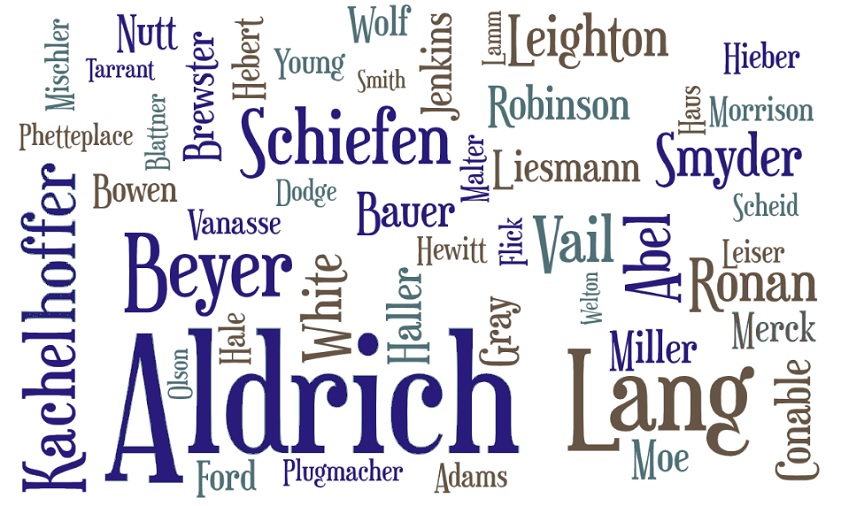
A. The top 50 surnames as of April 2020 are:
| Aldrich (211) |
Abel (33) |
Mischler (21) |
Pflugmacher (15) |
Leiser (12) |
| Lang (84) |
White (33) |
Bauer (20) |
Adams (14) |
Flick (11) |
| Kachelhoffer (70) |
Brewster (32) |
Blattner (20) |
Ford (14) |
Haus (11) |
| Schiefen (66) |
Ronan (32) |
Miller (20) |
Hieber (14) |
Lamm (11) |
| Robinson (59) |
Conable (28) |
Wolf (20) |
Malter (14) |
Dodge (10) |
| ? (52) |
Liesmann (27) |
Nutt (19) |
Tarrant (14) |
Moe (10) |
| Hebert (42) |
Vail (26) |
Merck (18) |
Vanasse (14) |
Olson (10) |
| Beyer (40) |
Jenkins (24) |
Gray (17) |
Young (14) |
Scheid (10) |
| Leighton (39) |
Phetteplace (24) |
Morrison (17) |
Hewitt (13) |
Smith (10) |
| Smyder (38) |
Haller (22) |
Bowen (15) |
Hale (12) |
Welton (10) |
back
to top
A. Click on the Suggest tab
to display a form for submitting changes/additions. If you have documentation,
please cite your source. You will be shown as the source of any newly added
information if no other documentation is available.
back
to top
A. Relationship lets you
calculate the relationship between any two people in the database. Timeline
displays one for any number of individuals you select, by clicking the Timeline
tab from their individual displays, or by using the Add People button on the
timeline display.
back
to top
A. Just use the Print link
found on most pages. Some pages also have a PDF option. With that link you can create e.g. a page of individual data or a pedigree chart, with some control over font and page formatting, and then save the results as a PDF file.
back
to top
A. Because I haven't gotten that
far yet!
back
to top
|
|